Right now, at this exact moment, somewhere between three and four million businesses are running active ads across Facebook and Instagram. That number isn't a guess — Meta's own transparency infrastructure updates every 15 minutes, and researchers who track the library consistently find roughly 3.5 million distinct ads live at any given time globally.
Here is what that number actually means for you: every single one of those advertisers has a confirmed marketing budget, an active campaign, and a visible problem you can read before ever sending them a message. They aren't on a purchased list built from guesswork. They aren't scraped from LinkedIn profiles that may be two years out of date. They are businesses that chose, this week, to spend real money trying to grow — and every detail of what they're doing is sitting in a free, public, searchable database that most people still use exclusively for "competitor research" rather than for what it actually is: the largest publicly available list of pre-qualified leads on the internet.
This is the complete 2026 playbook for finding those businesses in any niche. Not just how to search, but how to read the signals, which keywords to use for which industries, what the 2026 updates actually changed, and where the manual process breaks down so badly that automation becomes the only practical answer.
Why This Works Better Than Any Contact List
The standard B2B outreach workflow starts with a database — Apollo, ZoomInfo, Hunter, or a downloaded list from somewhere. You filter by industry, job title, company size, and geography, and you get a list of people who fit a profile. What you do not get is any confirmation that those people or businesses are in a buying mindset right now, that their company is actively investing in growth, or that they have any budget available for whatever you're selling.
A business running a Facebook or Instagram ad has already answered all three of those questions. They have budget — enough to fund a paid campaign. They are in growth mode — running ads is a deliberate decision to spend money on customer acquisition. And they are visibly active, not hypothetically relevant.
There are also roughly 3 to 4.5 million of these businesses active globally at any given time. Between 30 and 45 percent of small and medium businesses in mature markets run Facebook ads in a given month, with median monthly ad spend typically falling in the $200 to $1,200 range per advertiser. In higher-spend verticals — e-commerce, finance, real estate — that ceiling is dramatically higher. The pool you're fishing from isn't small.
The other advantage that doesn't get talked about enough: their specific problems are visible before you ever contact them. You can see exactly what they're advertising, what angle they're using, and — if you know how to read the signals — whether the campaign is likely working or quietly dying. That's not context you can get from a CRM record. It's research that used to take 20 minutes per prospect and can now be read in 30 seconds.
What the Meta Ads Library Actually Shows in 2026
The Meta Ads Library lives at facebook.com/ads/library. It's free, requires no Facebook account for commercial ad searches, and updates in near real-time — typically within 15 minutes of an ad going live.
Meta launched it in May 2018 as "Ad Archive," a political-transparency tool responding to the Cambridge Analytica fallout and 2016 US election scrutiny. By March 2019, they expanded it to cover all active commercial ads globally. The EU's Digital Services Act (DSA) then forced another round of expansion in 2023-2024, adding richer data fields for any ad served in EU or UK markets. The most recent cluster of updates landed in late 2025 and early 2026, and they meaningfully change what's useful for prospecting specifically.
What you can see for every commercial ad:
- The advertiser's name and linked Facebook Page
- The full ad creative — image, video, or carousel
- The exact start date the ad began running
- Which platforms the ad is running on (Facebook, Instagram, Messenger, Audience Network, WhatsApp, Threads — the last two added in December 2025)
- Whether the ad is currently active
- The number of ad variants running under that campaign
- An impression range bucket (new as of January–April 2026): under 1K, 1K–5K, 5K–10K, 10K–50K, 50K–100K, 100K–500K, 500K–1M, and 1M+
- A "Low Impression Count" badge on any ad that reached fewer than 100 people (rolled out December 22, 2025)
- On advertiser profile pages: 12-month cumulative spend data, now available for approximately 37,991 commercial advertisers as of April 2026, with Meta expanding that number rapidly
What you cannot see:
- Exact per-ad spend outside of political categories (only impression range buckets)
- Audience targeting parameters (interests, demographics, lookalikes) — hidden for commercial ads outside the EU and UK
- Performance metrics like CTR, ROAS, or conversion rates
- The historical archive for commercial ads — once a campaign ends, it disappears (unlike political ads, which are archived for seven years)
The EU/UK exception worth knowing: If you switch the country filter to any EU market or the UK, the DSA forces Meta to show considerably more: targeting parameters, more precise reach data, and ads remain visible for one year after their last impression rather than disappearing immediately. If you're prospecting in those markets, you get richer data.
The URL still reads facebook.com/ads/library despite the rebrand from "Facebook Ad Library" to "Meta Ads Library" — both names point to the exact same tool.
The Three Signals That Separate Great Leads From Bad Ones
The 2026 updates to the library didn't just add features — they made it possible to triage lead quality in a way that previously required a lot of manual inference. Three signals now do that work for you.
Signal 1: Longevity — How Long Has This Ad Been Running?
This is still the single most valuable indicator in the entire tool, and it was true before the 2026 updates too. An ad that's been active for 30 days or more hasn't been paused, scaled back, or killed. That tells you something specific: Meta's auction kept allocating budget to it, which almost always means it's converting well enough to justify continued spend.
Researchers and ad analysts who track the library consistently note that 60+ days running is the marker for a confirmed winner — the point at which Meta's algorithm has accumulated enough conversion data to actively prioritize delivery. For your purposes as a lead finder, a business with a 60-day-old active ad is a business that's been investing in growth continuously for two months. That's a very different conversation than a business running a week-old campaign that may get paused next Tuesday.
Filter aggressively for 30+ days. Prioritize anything at 60+ days. Skip ads launched in the last week unless you're specifically trying to catch businesses at the earliest possible moment.
Signal 2: Impression Range — Is This a Real Campaign or a Test?
Pre-2026, the only way to guess whether an ad had meaningful reach was to check how many variants were running (more variants usually meant more budget) or to infer from how long it had been live. Now you can see directly: is this ad reaching under 1,000 people or over 100,000?
A business with an ad in the 10K–100K+ impression bucket that's still active after 30 days is a business running a meaningful campaign. A business with an ad flagged with the "Low Impression Count" badge — meaning it reached fewer than 100 people — is almost certainly running a test, drafting something, or running a campaign that quietly stopped scaling. Skip the Low Impression Count badges when you're building a lead list. They waste your time.
An ad account showing 80+ active video ads across multiple campaigns is a business with serious budget and active creative testing. An account with 2-3 active ads is probably a smaller operator or someone at the very early stage of running ads. Neither is disqualifying, but they're different types of conversations.
Signal 3: Advertiser Cumulative Spend — What's Their Budget Tier?
This is the newest signal and the most commercially useful for what Advorly's customers actually care about. Where Meta has published 12-month cumulative spend data on an advertiser's profile, you can see whether you're looking at a business that's spent $5,000 on Meta ads in the past year or $500,000.
This matters because your pitch is different depending on the budget tier. A business that's spent six figures on Meta ads in the past year is a different conversation for a web design agency than a business that's spent $800. Not that the smaller one is a bad lead — but knowing the tier in advance means you're not walking into either conversation blind.
As of April 2026, this data is available for around 38,000 commercial brands, and Meta is expanding the number. Check the advertiser's profile page after you find them in a search — it's a separate card that shows the cumulative range, not the individual ad view.
Stack all three signals for your highest-priority leads: active for 30+ days, impression range 10K or above, no Low Impression Count badge, and cumulative spend available. That combination is as close to a verified, budget-confirmed, actively-growing lead as you can get from a public source.
The Universal Search Framework (Works for Any Niche)
Before covering niche-specific keywords, there's a framework that applies every time regardless of industry.
Step 1 — Set country first, not last. The country filter controls which audience the ads are targeting, not where the advertiser is based. "E-commerce brands in the US" means ads being shown to US users, not US-headquartered brands. Always set the country before running your search — the default loads to your own location, which may or may not be your target market.
Step 2 — Set Ad Category to "All Ads." The category dropdown defaults to "All ads" but double-check. If it's been set to a political category from a previous search, you'll see a completely different (and useless for this purpose) set of results.
Step 3 — Search by problem, not just industry name. Keyword search in the library matches ad text and advertiser names — not company descriptions, not what their website says. A real estate agent's ad might say "buy your dream home in Phoenix" not "real estate agent." A fitness coach's ad might say "lose 20 lbs without giving up carbs" not "fitness coach." Search both the industry name and common pain points or offer phrases.
Step 4 — Filter for Active status + 30+ day start date. This is the fastest way to remove 70% of noise: dead campaigns, brief tests, and stale ads. Active status + 30-day filter returns businesses with proven, running campaigns.
Step 5 — Sort by impression range. Post-January 2026, you can sort results by impression bucket. Push the 10K+ impression ads to the top before you start clicking through.
Step 6 — Save your search. The library has a "Save search" button that appears after you run a filtered query. Name it and use it weekly — you'll see new businesses that entered the niche since your last visit without rebuilding the filters from scratch.
Niche-by-Niche Playbook: Keywords, Signals, and What to Look For
This is the section that doesn't exist anywhere else. Here's exactly what to search, what signals mean the most, and what specific observations to make for ten of the most valuable niches for agencies, freelancers, and sales teams.
E-Commerce and DTC Brands
Search keywords to try: "free shipping," "limited time offer," "shop now," "new collection," "discount," the specific product category name (e.g., "men's streetwear," "skincare," "activewear"), or the brand's niche terms.
Best signals to prioritize: Video ads with 30+ days of longevity are the strongest signal in e-commerce — a video that's still running after a month in a conversion-focused campaign has almost certainly driven real purchases. Look for carousel ads (multiple products) as a sign they're testing product mix. Multiple ad variants with the same offer but different creative angles = a brand actively scaling.
What to look for for outreach: Is the landing page fast? Is the product imagery professional or clearly low-budget? Is the ad creative using user-generated content (UGC) or polished studio shots? Is their offer compelling (specific discount, clear guarantee) or vague? These become your conversation openers.
Real Estate Agents and Brokerages
Search keywords to try: "homes for sale," "buy a home," "sell your home," "real estate agent," "listing," "open house," city name + "real estate," "first-time homebuyer."
Best signals to prioritize: A real estate agent running an ad for more than 30 days is unusual — real estate ads tend to be short-burst campaigns tied to specific listings. A 45-60 day active ad from a real estate agent almost always means a lead-generation campaign (not a listing ad), meaning they're paying to generate buyer or seller leads continuously. That's a much higher-value business for your outreach.
What to look for for outreach: Most real estate Facebook ads click through to generic brokerage pages, not dedicated lead-capture landing pages. If you can spot this gap, it's one of the highest-converting specific observations you can make in an outreach message.
Fitness Coaches, Gyms, and Wellness Brands
Search keywords to try: "lose weight," "build muscle," "online coach," "fitness program," "transformation," "meal plan," "personal trainer," gym name formats, "12-week challenge," "free consultation."
Best signals to prioritize: Online fitness coaches running ads for 30+ days are actively spending to acquire clients at scale — they need marketing help more than they need coaching help. A gym running hyperlocal Facebook ads with any meaningful impression range (10K+) is investing seriously in local acquisition. Compare the ad creative (usually pretty basic for most gyms) to what you know about what works.
What to look for for outreach: Fitness ads are overwhelmingly generic stock photos or low-quality before/after images. If you offer creative services, the gap between what they're running and what converts in this space is enormous and extremely visible.
Dental Practices and Medical/Aesthetic Clinics
Search keywords to try: "dental implants," "teeth whitening," "Invisalign," "smile makeover," "cosmetic dentist," city name + "dentist," "med spa," "Botox," "lip filler," "laser hair removal."
Best signals to prioritize: Dental and aesthetic clinics that are running ads and have been doing so for 30+ days almost always have a practice owner who understands marketing and is actively investing in patient acquisition. These are among the highest-budget local businesses you can find in the library because the customer lifetime value in these niches justifies the ad spend — a single implant case or a Botox client who returns quarterly makes the math work immediately.
What to look for for outreach: Most dental/aesthetic ads click through to slow, outdated practice websites with no clear booking flow. The gap between "ad is running" and "landing page converts" is enormous in this niche.
Home Services: HVAC, Roofing, Plumbing, Electricians
Search keywords to try: "AC repair," "new roof," "roofing contractor," "HVAC installation," "plumber near me," "emergency plumber," city name + the service type, "free estimate," "no job too big."
Best signals to prioritize: Seasonality matters hugely here. An HVAC company running ads in summer (peak AC season) that have been live for 30+ days is a business that's doing this deliberately, not just boosting a post. A roofing company running ads with 50K+ impressions in storm season is spending real money. The cumulative spend data where available will show you whether this is a one-month experiment or an ongoing investment.
What to look for for outreach: Home service ads are the most likely category to have broken or non-functional landing pages — a common real scenario is an ad that sends clicks to a Facebook page with no website link, or to a website that's mobile-broken. If you offer web design or landing page services, this is your richest niche.
SaaS and B2B Software Companies
Search keywords to try: "CRM software," "project management tool," "free trial," "automate your," "team collaboration," the specific category your target SaaS operates in, "increase productivity," "reduce costs," "book a demo."
Best signals to prioritize: SaaS companies running Facebook ads with 30+ days longevity and impression ranges above 10K are spending meaningfully on what is typically not a primary channel for B2B SaaS — which means they've validated Facebook as a working channel for them specifically. These businesses have marketing budget and are actively experimenting with growth. Cumulative spend data is particularly useful here because SaaS ad spend tends to be either very low (small team testing) or very high (funded company scaling a proven channel).
What to look for for outreach: SaaS Facebook ads frequently click through to landing pages that were designed for Google Ads intent (short, direct, CTA-heavy) and don't convert well from social traffic (which needs more education before being ready to act). If you offer CRO or landing page services, this specific gap is highly specific and highly observable.
Marketing Agencies Themselves
Search keywords to try: "social media agency," "Facebook ads agency," "digital marketing agency," "we help businesses," "scale your brand," "more leads," "get clients," specific service names + "agency."
Best signals to prioritize: An agency running its own Facebook ads is an agency that's actively investing in its own client acquisition and understands the channel well enough to trust it for their own growth. These businesses are often ideal white-label partners, referral sources, or potential clients for complementary services (design, copy, video, data tools).
What to look for for outreach: Agency ads frequently make very broad claims ("We help businesses 10x their revenue") without specific proof points. If you have case study data or a very specific niche focus, the contrast between your offer and what their ad looks like is an easy conversation starter.
Coaches and Online Course Creators
Search keywords to try: "online course," "free masterclass," "free webinar," "I'll teach you," "how I made," "quit your job," niche-specific terms ("copywriting course," "real estate investing course," "business coach"), "limited spots."
Best signals to prioritize: A coach or course creator running a webinar funnel ad (the "free masterclass" or "free training" format) that's been live for 30+ days is almost certainly converting profitably — this format is expensive to run if it's not working, so longevity is an extremely reliable signal here. These businesses are also high-ticket by nature and have both marketing budget and ongoing content needs.
What to look for for outreach: Course creator ads that run to slow, un-optimized webinar registration pages are extremely common. If the ad is working but the registration page loses people, they're leaving money on the table in a way that's immediately visible to anyone who clicks through.
Law Firms and Financial Services
Search keywords to try: "personal injury lawyer," "car accident attorney," "estate planning," "financial advisor," "life insurance," "debt consolidation," "bankruptcy attorney," city name + legal or financial terms, "free consultation," "no win no fee."
Best signals to prioritize: Law firms and financial advisors running Facebook ads are in a niche where the customer lifetime value is extremely high (a personal injury settlement can mean tens of thousands in legal fees; a wealth management client represents years of AUM fees). A firm running ads with meaningful impression ranges is spending significant budget. Longevity matters even more here than other niches — these businesses know exactly what their cost-per-lead needs to be, and they don't keep running ads unless those ads are working.
What to look for for outreach: Most law firm and financial advisor Facebook ads click through to generic website homepages with no form, no specific offer, and no clear next step. The conversion optimization gap in this niche is enormous.
Restaurants and Food & Beverage
Search keywords to try: city name + "restaurant," "delivery now," "order online," "new menu," "happy hour," specific cuisine types, "open now," "reservations open," catering-specific terms.
Best signals to prioritize: A restaurant running Facebook ads with 10K+ impressions over 30 days is investing seriously in digital acquisition — most restaurants don't bother, which means the ones that do are either doing well or are desperate enough to try. Look for catering-focused ads specifically (these businesses have much higher average order value and genuinely need more leads). Skip the $5-boost posts common in this category — filter for impression ranges that show real investment.
What to look for for outreach: Restaurant Facebook ads almost universally go nowhere useful — a generic website homepage, an Uber Eats menu page, or a Facebook Page. Very few have a dedicated landing page optimized for the specific offer in the ad.
The Manual Process, Start to Finish
Armed with the framework and the niche-specific keywords, here is the exact manual process from open browser to exported list.
Step 1: Open facebook.com/ads/library in a desktop browser. The desktop interface gives you access to all filters — the mobile version is useful for capturing ads you see in your feed but limits what you can filter and analyze.
Step 2: Set your country first. Click the country dropdown and select your target market. Remember: this filters by where the ad's audience is, not where the advertiser is based.
Step 3: Set Ad Category to "All ads." Confirm this before every search — it resets sometimes.
Step 4: Type your first keyword from the niche-specific list above. Start with an industry-generic term to understand the landscape, then get more specific.
Step 5: Click Filters. Set Delivery Status to "Active." Set the date range — either use the "Active since" field to filter for ads started 30+ days ago, or sort results after the fact and skip anything too recent.
Step 6: Sort by impression range (2026 feature). Push higher-impression ads to the top so you're reviewing the most-invested businesses first.
Step 7: Click through each result. Note the business name, check the linked Facebook Page for their website URL, and read the actual ad — the offer, the creative angle, the specific claim they're making. This is the research that makes your outreach specific rather than generic.
Step 8: Check the advertiser profile page for any available 12-month cumulative spend data. Not available for every advertiser yet, but worth checking.
Step 9: Log the businesses that meet your signal criteria (30+ days active, meaningful impression range, no Low Impression Count badge) in a spreadsheet or CRM. Include the business name, their Facebook Page URL, their website URL, and one specific observation from their ad.
Step 10: Use the Save search button to bookmark this exact filter combination. Return weekly to find businesses that have entered your niche since your last search.
Where Manual Search Hits Its Ceiling
The manual process above is the right way to start. It's also the process that breaks down at a specific and predictable point — when you need more than a single niche, more than one country, or more than 30-50 qualified leads per week.
The library's interface returns roughly 20-30 results per search before you have to scroll for more. There's no bulk export. Each business's website and contact information require a separate visit to find. Verifying an email address is a separate tool entirely. And every combination of niche keyword + country requires its own search, its own filtering, its own scrolling.
In practice, building a clean, verified list of 50 leads across two niches and three countries takes three to four hours of actual work — before you've written a single outreach message. If you're running this process weekly to maintain a live pipeline, that's 12-16 hours a month spent on the part of the process that produces a list, not the part that produces conversations.
That ceiling is real, and it's where the workflow changes.
The Automated Approach: How to Pull 500 Leads in 60 Seconds
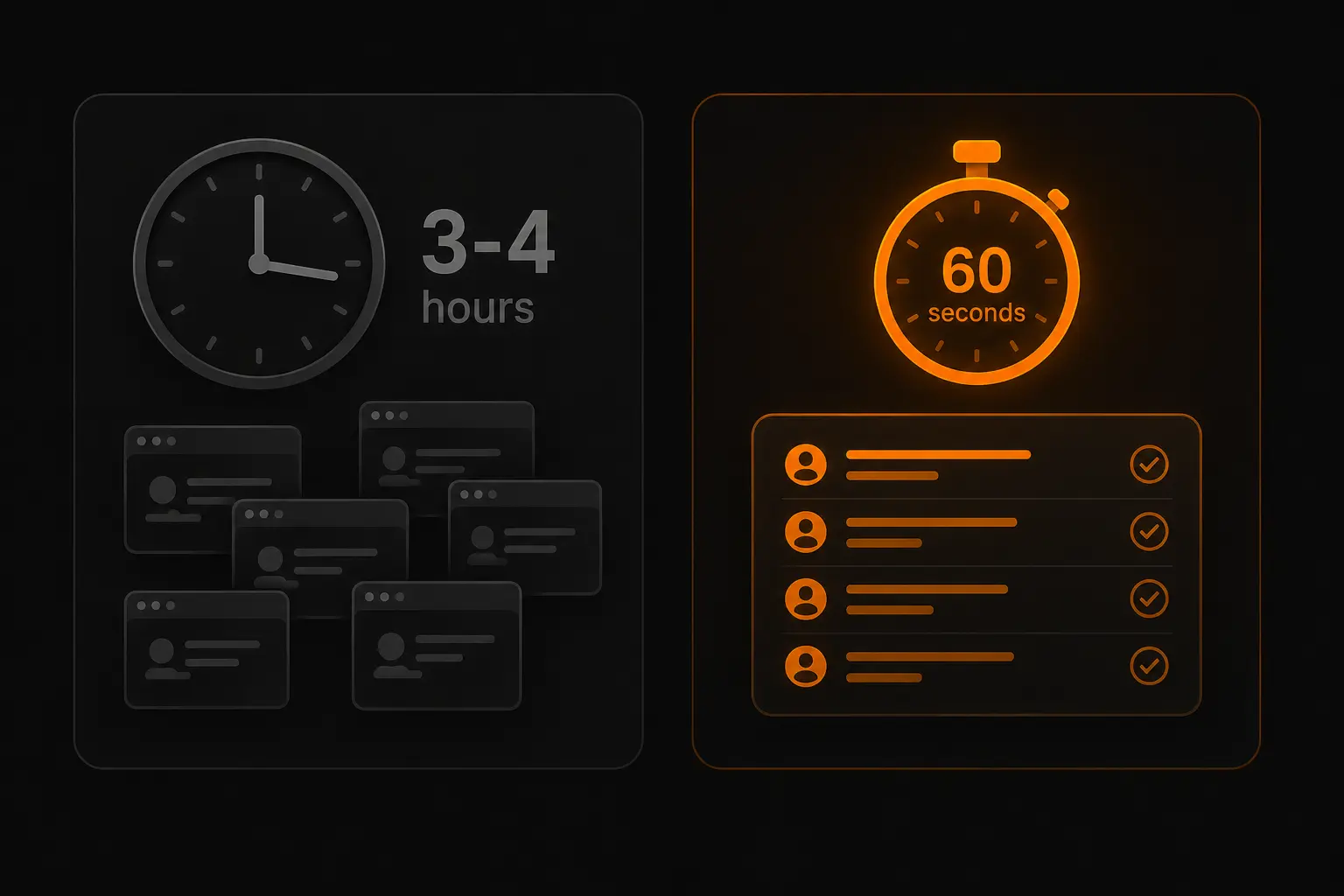
This is exactly what Advorly was built to solve. Instead of searching the library page by page, Advorly queries the Meta Ads Library directly — you type your niche, pick a country, and the platform returns up to 500 businesses with active ads in that combination, each one already pre-loaded with the business name, their Facebook Page, their website URL, and what their live ad is actually saying.
The part that goes beyond just faster search: each lead comes with an AI-generated outreach message built from the specific ad that business is running. So instead of spending 20 minutes reading an ad and drafting a message that references it, you start from a relevant first draft that's already tailored to that specific business and edit it into your own voice.
The time arithmetic is straightforward. What takes 3-4 hours of manual work for 50 leads takes under 60 seconds for 500. The triage framework from earlier in this guide still applies — you still want to prioritize the businesses with the strongest signals — but you're making that call from a list of 500 instead of scrolling through 30 results one at a time.
For agencies and sales teams running outreach at volume, the difference between these two approaches isn't marginal. It's the difference between a one-person workflow and a scalable pipeline.
How to Use Country Filters Strategically
Most people run exactly one search per niche — the country where they're based. The country filter is significantly more powerful than that when used deliberately.
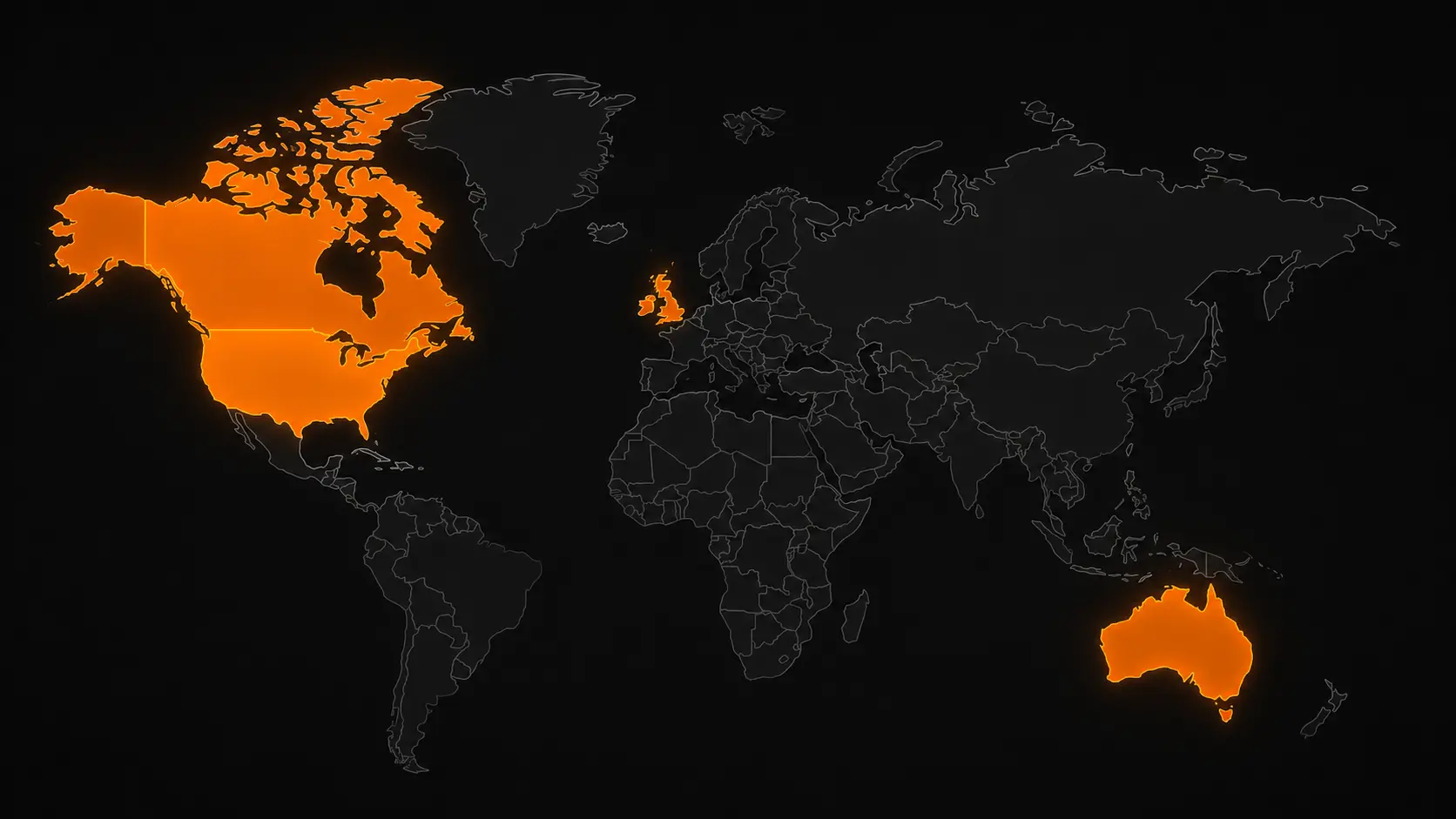
US searches: The largest pool of advertisers globally. Most competitive in terms of who else is prospecting the same list, but the most businesses per niche. Best for agencies targeting North American clients.
UK and EU searches: These markets require Meta to show additional targeting data under DSA rules, and ads remain visible for one year after their last impression rather than disappearing immediately. You get richer data per advertiser and a less-prospected pool. For agencies offering services to European clients, these are underworked markets.
Australia and Canada: Significant advertiser bases with strong English-language markets. Often overlooked by US-centric agencies despite having the same service needs and similar ad spend levels. A marketing agency in the US pitching Australian e-commerce brands faces zero geographic competition from other US agencies, which changes the outreach dynamics significantly.
Country + niche combinations multiply your addressable market. "Fitness coaches in the US" is one search. "Fitness coaches in the UK," "fitness coaches in Australia," and "fitness coaches in Canada" are three more searches that return an entirely different set of businesses. Each country surfaces different advertisers, different budget levels, and different opportunities. Running four niche searches instead of one quadruples your list without requiring you to expand your service offering at all.
5 Mistakes That Waste Hours of Prospecting Time
Mistake 1: Searching by exact industry name only. Most ads don't say "fitness coach" in the text — they say "lose 30 lbs in 12 weeks" or "finally get the body you want." Keyword search matches ad text, not business category. Always search both the industry name and the common phrases that appear in ads within that industry.
Mistake 2: Ignoring the Low Impression Count badge. Adding a business to your outreach list whose ad reached fewer than 100 people is almost always a waste of a slot. That business has already dropped that campaign in practice, even if it technically shows as "active." Skip these.
Mistake 3: Only searching your home country. The niche-by-country multiplication above is one of the highest-leverage things you can do with the same tool and no additional work. Running the same search across four English-speaking markets quadruples your pool in under five minutes.
Mistake 4: Treating every active ad as equal. An ad that launched four days ago is a fundamentally different lead than one that's been running for 60 days. One is a business testing something new; the other is a business with a proven campaign and active budget. They both show as "active" in the library. The date filter is what separates them.
Mistake 5: Building a massive list instead of a filtered short one. More leads is not always better. A focused list of 30-50 businesses that all meet the three-signal framework — strong longevity, real impression range, available spend data — will outperform a raw list of 300 businesses, roughly half of whom are early-stage tests. Filter aggressively before you do any outreach.
Frequently Asked Questions
Is the Meta Ads Library free to use? Yes, completely. No Facebook account is required to search commercial ads. The only category requiring a login is political and social-issue ads, where Meta requires identity verification. Everything else is fully public and searchable by anyone.
How up-to-date is the data? Meta updates the library in near real-time — typically within 15 minutes of an ad going live or stopping. What you see when you search is an accurate snapshot of active campaigns right now, not cached data from last week.
Does this work for finding businesses in any country? Yes. The library covers advertisers globally across all of Meta's platforms. The country filter controls which market's ads you're searching, and you can search any country Meta serves. Data richness varies — EU and UK markets have additional DSA-mandated fields — but every market is searchable.
Can I see targeting data for commercial ads? Outside of EU and UK markets, no. Meta deliberately hides interest targeting, custom audiences, and lookalike configurations for standard commercial ads. You can infer the audience from the creative and copy, but you can't see the actual setup. In EU/UK markets, the DSA forces disclosure of targeting parameters.
Why do some ads disappear after I find them? Commercial ads (non-political) disappear from the library the moment the campaign ends. There's no historical archive for regular ads the way there is for political ones. If you find a business one week and come back the next week and their ad is gone, their campaign ended. This is also why the "save search" feature matters — running the same saved search weekly surfaces the new businesses that entered the niche.
How many businesses are realistically findable in a given niche? It varies significantly by niche. Consumer-heavy niches like fitness, e-commerce, and real estate have tens of thousands of active advertisers in major markets at any given time. More specialized B2B niches (SaaS, legal tech) have fewer but often higher-value businesses. In every niche, the signal-qualified pool (30+ days active, meaningful impression range) is smaller than the total active count — typically 20-40% of raw results pass the signal filter.
What's the best niche to start with? Start with the niche you already understand best, not the one with the most volume. Your outreach will be more specific and more credible when you can make an observation about a roofing company's ad that only someone who knows roofing marketing would notice. Niche familiarity beats volume advantage at the scale most agencies and freelancers operate at.
Is it legal to contact these businesses using information from the library? The Meta Ads Library is a public transparency tool, and using it to research businesses is exactly what it's designed for. The compliance question is in what you do with that information: follow standard cold outreach regulations in your jurisdiction (CAN-SPAM in the US, GDPR in the EU/UK), contact business addresses rather than personal accounts, include a clear opt-out mechanism, and accurately represent who you are and why you're reaching out.
Conclusion
The Meta Ads Library is one of the only places in the world where you can search a live, real-time database of businesses that have publicly confirmed they have a marketing budget, understand paid growth, and are actively trying to scale — in any niche, in any country, for free.
The 2026 updates — impression range buckets on every ad, the Low Impression Count badge, advertiser cumulative spend data, and Threads and WhatsApp as searchable platforms — make it more useful for finding qualified leads than it's ever been. The three-signal framework (longevity, impression range, spend tier) gives you a consistent way to triage quality across any niche so you're not wasting time on test campaigns and paused ads.
The manual process works. It's the right starting point for anyone building their first targeted list or going deep on a small number of high-value prospects. The ceiling it hits — three to four hours for fifty leads — is where automation earns its place in the workflow.
Either way, the businesses are there. Millions of them, updated every 15 minutes, right now.
Ready to skip the manual work? Try Advorly free — find 50 businesses running Meta ads in your niche in under 60 seconds. No credit card required.